

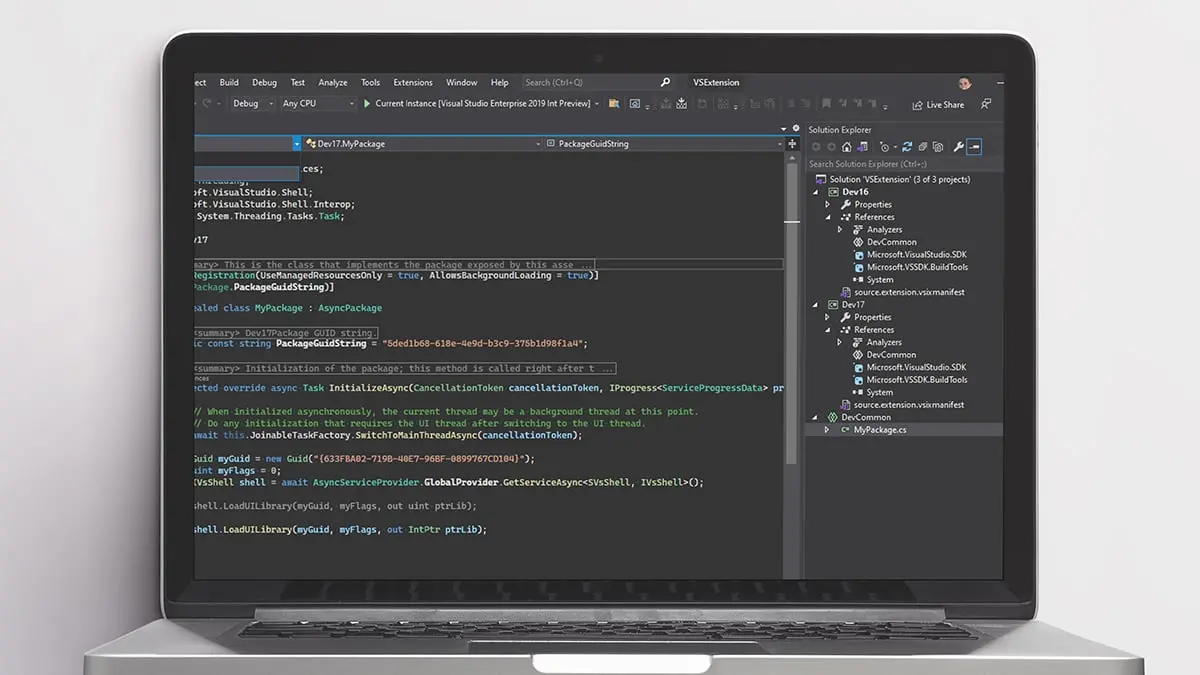
For developers, the integrated development environment (IDE) is more than just a code editor. It is the central hub where projects are planned, written, tested, debugged, and deployed. When that tool falls behind modern workflows, productivity suffers. Microsoft Visual Studio Professional 2026 aims to fix that, and a limited-time discount brings its lifetime license down to $29.97. Through Aug. 9, new users can pick up the full Professional edition for a fraction of its typical $499.99 price, representing a savings of $470.02. Instead of paying a monthly or yearly subscription, this is a one-time purchase that grants ongoing access to the IDE for as long as the license terms apply.
The latest edition of Visual Studio Professional includes a broad set of tools designed for individual developers, small teams, and enterprise environments. It supports everything from C and C++ to Python, JavaScript, TypeScript, and web development frameworks. The 2026 version builds on the strengths of previous releases by introducing deeper AI integration, improved performance, and enhanced collaboration capabilities. With this deal, developers can gain access to those features without the commitment of a recurring fee.
AI-assisted coding features
One of the biggest additions to Visual Studio Professional in recent years is AI-powered assistance. IntelliCode uses machine learning to provide smarter code completions, recommendations, and refactoring suggestions. It learns from thousands of high-quality open-source projects and from the code patterns developers use most often. This means the editor can predict what a developer is likely to type next, offer relevant function signatures, and flag possible issues before they become bugs. For both beginners and experienced coders, this reduces the time spent on boilerplate and repetitive tasks.
In the 2026 release, those AI capabilities are more tightly integrated into the core editing experience. The result is a smoother workflow where context switches are minimized. Instead of manually searching through documentation for a method or syntax, developers can rely on inline suggestions. This is particularly useful in large codebases where remembering every API call is impossible.
64-bit architecture and performance
Another major improvement in Visual Studio Professional 2026 is the 64-bit architecture. While earlier versions of Visual Studio were already available in 64-bit form, the 2026 release is optimized to handle larger projects and more demanding workloads. Memory-intensive tasks such as solution-wide code analysis, refactoring, and debugging are now more responsive. Developers working with massive codebases, microservices, or complex cloud applications will notice less lag and fewer out-of-memory errors.
The performance gains are not just about memory. The IDE also starts faster, loads solutions more quickly, and provides smoother interaction when scrolling, searching, and navigating code. These improvements might sound incremental, but over a full workday they add up to significant time savings.
Cross-platform development tools
Modern development rarely happens on a single platform. Visual Studio Professional 2026 supports cross-platform development for Windows, Linux, containers, and more. It includes templates and tooling for .NET MAUI, Blazor, C++, and .NET applications. That means developers can build mobile, desktop, and web apps from a single codebase and deploy them to a variety of environments.
Container support is especially important for teams that use Docker. The IDE provides native tools for building, managing, and orchestrating containers without leaving the editor. This reduces the friction of setting up development environments and makes it easier to test code in conditions that mirror production.
Real-time collaboration with Live Share
Collaboration is a core part of modern software engineering. Visual Studio's Live Share allows team members to share their workspace directly from the IDE. They can edit and debug together in real time, regardless of whether they are in the same room or on different continents. There is no need to set up a separate remote desktop session or send code back and forth. Each participant sees the same code and can interact with the shared environment.
Live Share is particularly valuable for pair programming, code reviews, and mentoring sessions. In a remote-first world, it bridges the gap between team members and helps maintain momentum on complex tasks.
CodeLens and Hot Reload
Visual Studio Professional 2026 includes CodeLens insights that surface important information directly above your code. You can see references, authors, commit history, and test status without opening a separate window. This makes it easier to understand the context of a piece of code and identify who made changes and why. For maintainers and senior engineers, CodeLens is an indispensable tool.
Hot Reload is another feature that speeds up the development loop. It allows developers to see code changes instantly without restarting the application. Whether you are tweaking the user interface or modifying backend logic, Hot Reload preserves the application state and applies updates in place. This can dramatically reduce the time spent waiting for builds and reboots.
Azure and GitHub integration
The 2026 version continues to offer deep integration with Azure and GitHub. Developers can connect to Azure services for cloud storage, databases, and app hosting directly from the IDE. Deployment pipelines can be configured and triggered without switching to a separate web portal. Git operations are also embedded in the editor, making it easy to manage branches, commits, and pull requests.
For teams that use GitHub Actions, Visual Studio can surface workflow results and errors within the development environment. This creates a more cohesive experience and helps developers catch integration issues early.
Who should take advantage of this offer?
This deal is aimed at a wide range of developers. Freelancers and independent consultants will appreciate the one-time pricing, since they can avoid recurring software costs while maintaining access to a professional IDE. Students and self-taught programmers can gain a solid development platform at a price that fits a tight budget. Even professionals who already have access to Visual Studio through their employer might want a personal licensed copy for side projects and portfolio work.
Teams that rely on the free Visual Studio Community edition may also find value in upgrading. While the Community edition is great for many situations, the Professional edition adds features such as CodeLens, advanced debugging, and more extensive enterprise integration. The license permits use in smaller businesses, making this a compelling option for startups and growing companies.
Visual Studio versus Visual Studio Code
Many developers are familiar with Visual Studio Code, Microsoft's lightweight and free code editor. It is important to understand the distinction between that tool and Visual Studio Professional. VS Code is a fast, extensible editor that works well for web development, scripting, and small projects. Visual Studio Professional, on the other hand, is a full IDE with built-in compilers, debugging tools, integrated testing, database tools, and robust architecture modeling. It is designed for larger projects and teams that need advanced features under one roof.
Having both tools is common. Developers might use VS Code for quick edits and Visual Studio Professional for serious application development. This deal lowers the financial barrier for adding the full IDE to your toolkit.
System requirements and getting started
Visual Studio Professional 2026 is designed for Windows. Microsoft's official system requirements typically include a modern 64-bit processor, at least 4 GB of RAM (more recommended), and a supported version of Windows. Before purchasing, it is wise to confirm that your hardware meets the requirements, because some features like AI-assisted IntelliCode and large solution loading benefit from additional memory and a faster SSD.
After purchasing the license, users usually receive a redemption code or activation key that is applied to a Microsoft account. The software is then downloaded and installed through the Visual Studio installer. The installer lets you select specific workloads, such as .NET desktop development, ASP.NET web development, Python development, or mobile development with .NET MAUI. This modular approach keeps the installation lean and tailored to your needs.
Availability and deadline
The promotional price of $29.97 is available through Aug. 9. After that date, the price may revert to its regular $499.99 level or the promotion may disappear entirely. Deal pricing and availability are subject to change at any time, and users should confirm the current price before completing their purchase. Since this is a one-time payment, it is a way to secure a professional-grade IDE without negotiating with procurement or waiting for approval for a subscription.
For developers who have been waiting for the right moment to upgrade their toolkit, this is one of the strongest offers yet. The combination of AI-assisted coding, 64-bit performance, cross-platform support, real-time collaboration, and deep cloud integration makes Visual Studio Professional 2026 a robust choice. And with the lifetime license priced at $29.97, it is also one of the most affordable ways to access that capability.
Source: Mashable News